Website Banner Templates 1: Your Versatile Design Toolkit
Every brand hits a point where it needs to speak visually. A sale announcement, a new product launch, a simple call to action on a blog sidebar. The challenge isn't just the idea, it's the execution. Finding the right size, the right layout, and having the skills to make it look professional can stall a project for days. That's where a solid set of templates changes the game. Website Banner Templates 1 is a practical collection built for exactly this kind of real-world need.
What's Inside the Kit?
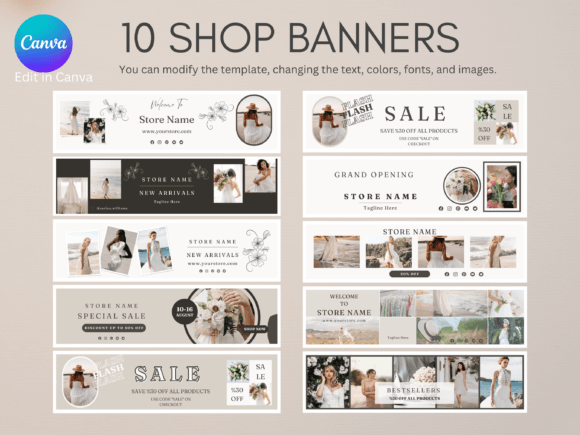
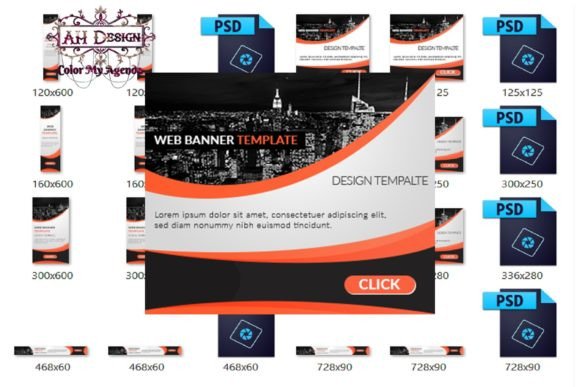
This isn't a single file with a hope and a prayer. It's a structured kit containing eight different PSD files, each sized for common digital placements. Think standard leaderboard sizes for websites, square formats for Instagram posts, skyscraper units for blogs, and rectangle options perfect for shop headers or affiliate promotions. The visual style is clean and adaptable, serving as a professional foundation rather than a rigid, one-note design.
The true value lies in its editability. Because these are layered Photoshop files, you have complete control. Swap out the placeholder text for your headline. Drop in your own product photography or brand imagery. Adjust the color scheme to match your existing brand identity in minutes. This flexibility makes Website Banner Templates 1 a workhorse asset for anyone who needs to produce consistent, on-brand graphics quickly, without starting from a blank canvas every single time.
Where These Templates Shine: Practical Applications
Consider a small business owner running a weekend sale. Instead of hiring a designer for a one-off task, they can open the appropriate PSD, edit the text to "Summer Sale - 30% Off All Items," insert a photo of their bestselling product, and have a professional banner ready for their website homepage and email newsletter in under an hour. The same process applies to a blogger creating a cohesive set of graphics for a sponsored post or a social media manager preparing assets for a Black Friday campaign across multiple platforms.
The applications extend into client work as well. For freelance designers or marketing consultants, these templates act as a starting point that drastically cuts down production time. You can use them to create banners, social media graphics, or other promotional media for your clients, charging for your creative direction and customization services. The kit comes with specific licensing that allows for this professional use, making it a smart addition to your toolkit. It's about efficiency, not cutting corners.
Making It Work for Your Brand
The key to using any template effectively is to see it as a skeleton, not the final body. The strength of Website Banner Templates 1 is that its structure is sound—it uses proper visual hierarchy, balanced text placement, and clear areas for imagery. Your job is to infuse it with your brand's personality.
Start by ensuring your edited text is concise and compelling. Banner copy needs to be understood in a glance. Next, focus on imagery. A blurry, poorly lit photo will undermine even the best template. Use high-quality, relevant images that tell your story. Finally, color is your most powerful branding tool. Don't just use the default colors. Take five minutes to input your exact brand hex codes. This single step transforms a generic template into a piece that feels uniquely yours, reinforcing brand recognition and professionalism.
A Note on Licensing and Resale
It's important to understand the rights included. The kit comes with Master Resale Rights. This means you can resell the entire product, as is, on your own website. Your customers would then get the templates with Resale Rights Only, meaning they can also resell the product package but cannot pass on resale rights to their own customers. They can, however, use the templates for their own personal or commercial projects. This creates an interesting opportunity for digital product sellers to add a valuable graphic asset to their store. For everyone else, the core value remains using the templates to create stunning banners for your own brands and clients.
Ultimately, Website Banner Templates 1 is less about a revolutionary design style and more about providing a reliable, adaptable solution. It's a practical asset for the entrepreneur who needs to move fast, the designer looking to streamline their workflow, and the creator who wants professional results without the professional price tag or timeline. It solves the common problem of needing great-looking graphics, right now.